Is Splitwise free? The daily expense limit and what Pro adds
Short answer
Yes, Splitwise is free to download and use, but the free plan has a daily limit. Splitwise’s help center says free users can add up to 4 expenses each day. Splitwise Pro removes the limit and the ads, and adds receipt scanning, currency conversion, charts, search, and default splits.
- Fewer than 4 expenses a day: the free plan is enough.
- A busy trip or a shared house: you’ll hit the limit, so either pay for Pro or use an app without one.
- Free with no daily limit: SplitMyExpenses, Tricount, and Spliit don’t cap expenses on their free plans. Our Splitwise alternatives guide compares them.
How we checked
We make SplitMyExpenses, a Splitwise alternative, so read this with that in mind. Every Splitwise fact here comes from Splitwise’s own pages, reviewed on November 27, 2026: the homepage, the Pro page, the help center article What is Splitwise Pro?, and the Splitwise App Store listing. Splitwise changes its plans from time to time, so check the app before you decide.
What the free plan includes
The free plan covers the core of Splitwise: groups and friends, adding and splitting expenses, and seeing who owes whom. Splitwise’s homepage also lists recurring expenses, offline mode, and 100+ currencies. The limit is on volume: up to 4 new expenses a day for each free user.
Another member of the group can add an expense for you, so a group with one Pro subscriber can work around the limit. Splitwise’s help center also notes that when a Pro subscriber converts currencies or scans a receipt, everyone in the group sees the result.
What Splitwise Pro adds
According to Splitwise’s Pro page and help center, Pro adds:
| Feature | Free | Pro |
|---|---|---|
| Expenses per day | Up to 4 | Unlimited |
| Ads | Pro is advertised as ad-free | None |
| Receipt scanning and itemization | No | Yes |
| Currency conversion | No | Yes |
| Spending charts by category | No | Yes |
| Search across all expenses | No | Yes |
| Default splits | No | Yes |
| Card transaction import | No | Yes, in select countries (the Pro page says US only) |
| JSON backup | No | Yes |
How much does Splitwise Pro cost?
Splitwise doesn’t list prices on its Pro page or help center. Its App Store listing says Pro renews monthly or yearly and that pricing varies by plan and country, and you see the price in the app before you pay. The help center describes three plans:
- Monthly: billed each month, for one person.
- Individual + Trip Pass: billed yearly, for one person.
- Duo + Trip Pass: billed yearly, shared by two people.
The yearly plans include one Trip Pass a year, which gives everyone in one trip group Pro features for 30 days. To see the current price where you live, open Splitwise and go to Splitwise Pro in the Account tab.
Is Splitwise free worth it?
For a couple or a pair of friends who add a few expenses a week, yes. The daily limit rarely matters, and everyone you know may already have an account.
The limit starts to hurt in two common cases:
- Trips. A weekend away can easily produce a dozen expenses in a day: gas, coffee, lunch, tickets, dinner, drinks. Our group trip guide shows how to keep them in one group.
- Shared houses. Rent, utilities, internet, and grocery runs pile up at the start of the month. See how to split bills with roommates.
Free options with no daily limit
If you’d rather not pay for Pro, these apps don’t cap expenses on their free plans, according to their own websites. See our free bill splitting apps comparison for the details and sources.
- SplitMyExpenses: no daily limit and no ads, on web, iPhone, and Android, with every split method and 10 recurring bills for free. Receipt scanning, bank imports, and whole-group currency conversion are Premium.
- Tricount: free with no ads, on iPhone and Android, built for trips.
- Spliit: free and open source, works from a shared link with no account.
You don’t have to lose your history to switch. SplitMyExpenses imports a Splitwise group or friend from the CSV file Splitwise exports, with its expenses, payments, and members. The import is free and brings over everyone’s balances.
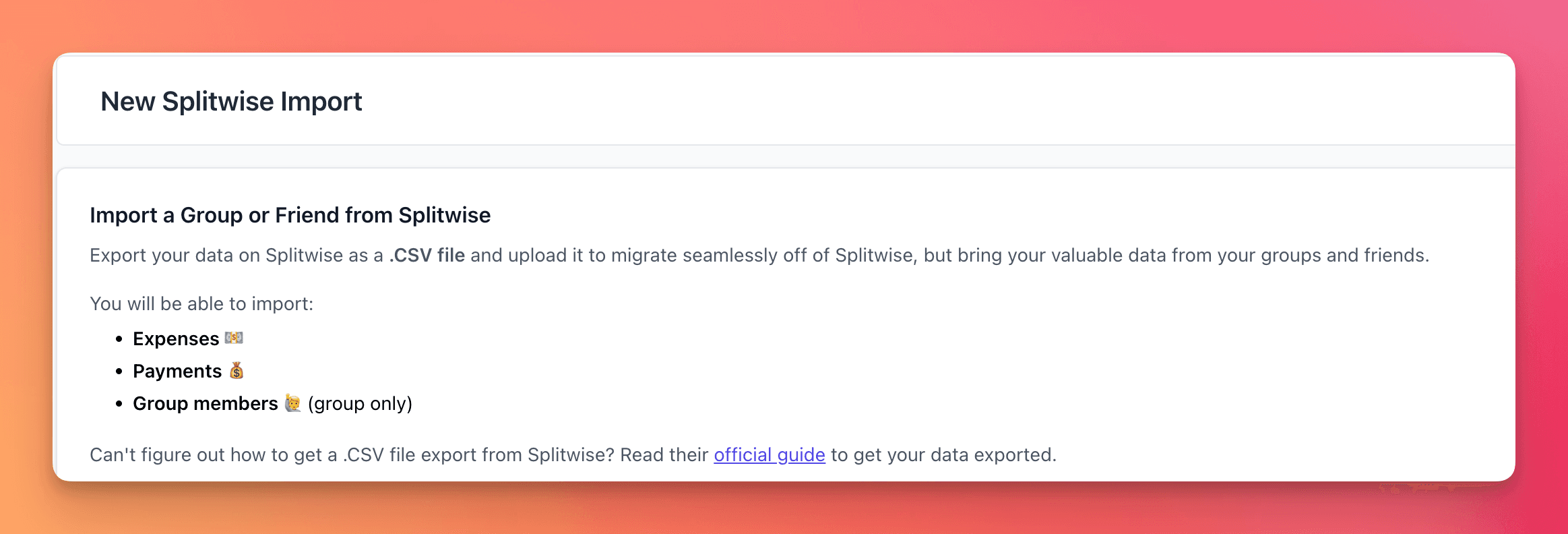
The Splitwise import guide walks through the export and upload step by step.
FAQ
Is Splitwise completely free?
No. The basic features are free, but free users can add up to 4 expenses a day and see ads. Splitwise Pro removes the limit and adds receipt scanning, currency conversion, charts, and search.
What is the Splitwise daily limit?
Splitwise’s help center says free users can add up to 4 expenses each day. Pro subscribers have no limit, and another group member can add expenses on your behalf.
How much is Splitwise Pro?
Splitwise doesn’t publish Pro prices on its website. Its App Store listing says pricing varies by plan and country, with monthly and yearly plans, and the app shows the price before you subscribe.
Does Splitwise have ads?
Splitwise advertises Pro as having no ads, so the free plan shows them.
What is the best free alternative to Splitwise?
It depends on the group. Tricount suits trips, Spliit suits groups that won’t make accounts, and SplitMyExpenses suits roommates and other ongoing groups because it has no daily limit, includes recurring bills, and imports your Splitwise history. Compare them in our Splitwise alternatives guide.
Try SplitMyExpenses
Create a free account, import a Splitwise group, and keep adding expenses with no daily limit. It’s free on web, iPhone, and Android.

Creator of SplitMyExpenses.com