For roommates
The bill splitting app for roommates
Keep rent, utilities, and shared groceries in one house group. Everyone sees what they owe, and nobody has to keep a spreadsheet.
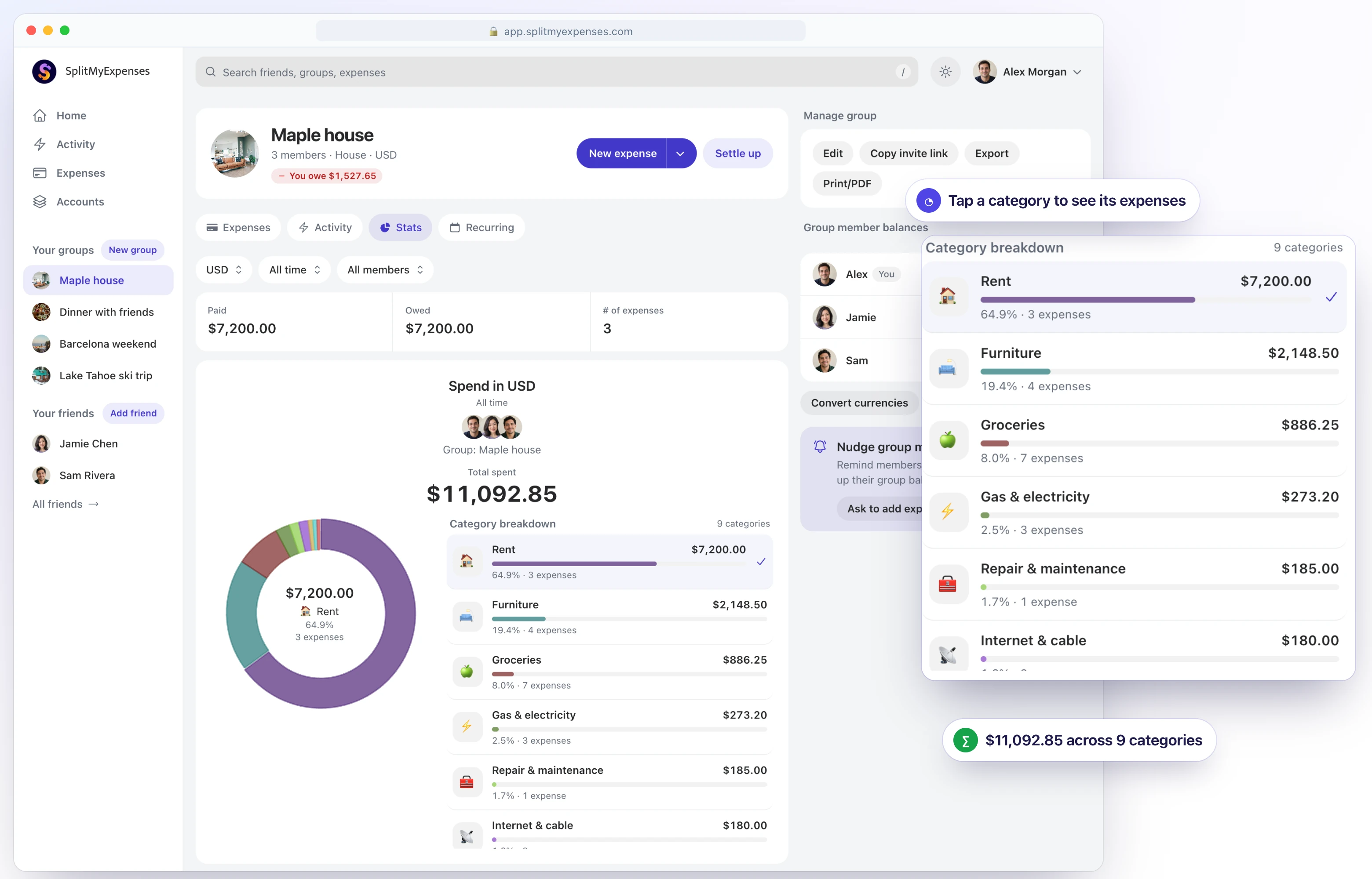
Add the grocery run in seconds
Type “Costco run” and the amount. The house group, everyone in it, and an even split are filled in, and Groceries is picked for you.
Every way to split a bill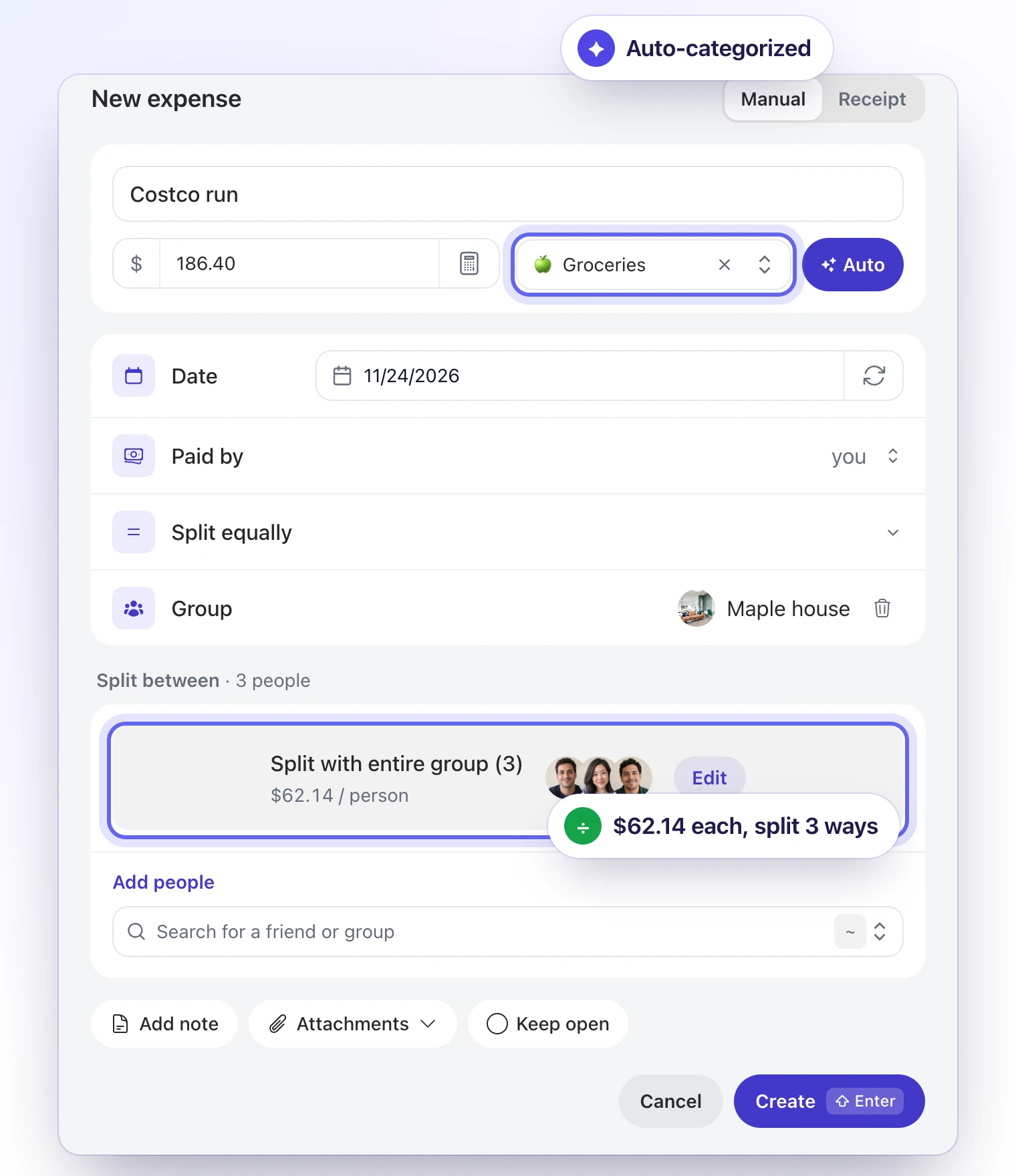
Settle up in fewer payments
Debts are simplified across the house, so three roommates settle with two payments instead of three, through Venmo, PayPal, Cash App, or Zelle.
How debt simplification works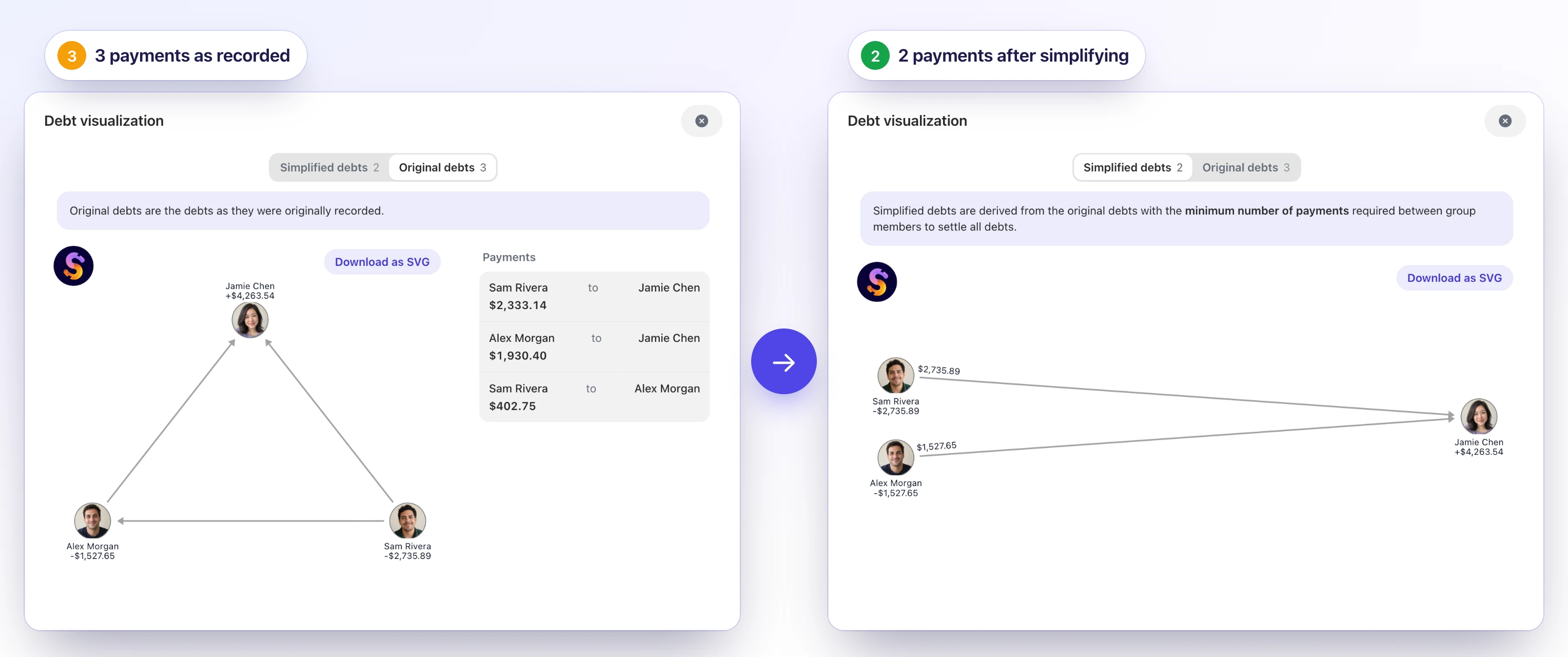
Add bills from your phone
Touch and hold your house group on Home to add an expense, and use the built-in calculator when a receipt has a few amounts to add up.
Get the iPhone and Android apps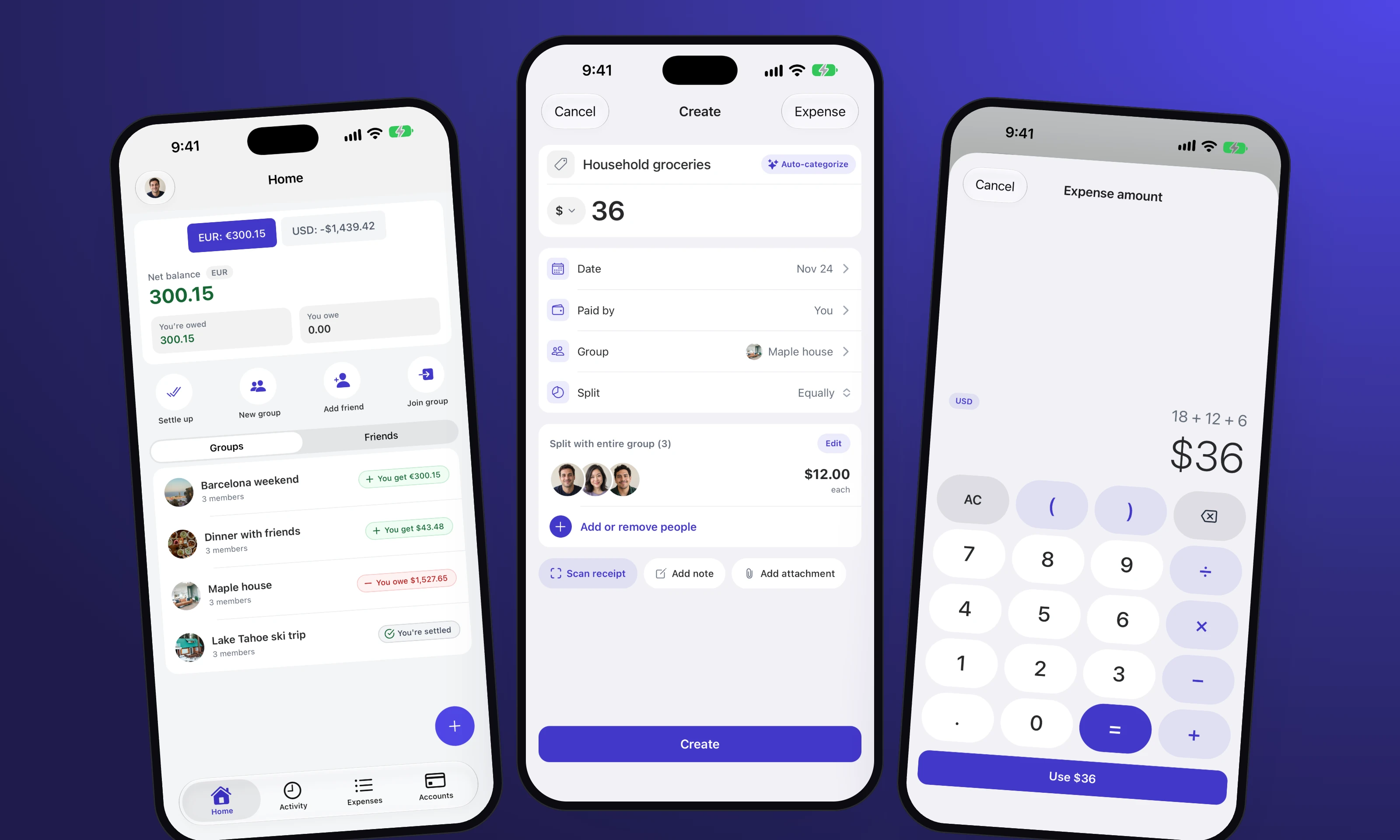
How it works
- 1
Create a house group and invite your roommates with a link.
- 2
Add rent and utilities as recurring expenses, with the split you agreed on.
- 3
Add groceries and shared shopping as they happen, then settle up monthly.
Frequently asked questions
- How do roommates split bills fairly?
- Split shared bills like utilities and internet equally, and split rent equally or by bedroom size. Record each bill in a shared group so everyone can see the balance.
- Can I split rent unevenly between roommates?
- Yes. Use exact amounts, percentages, or shares for rent, and save that as the group’s default split so it applies to every month.
- Can rent be added automatically every month?
- Yes. Add rent as a recurring expense and it is created on schedule. The free plan includes 10 recurring expenses.
- Is SplitMyExpenses free for roommates?
- Yes. Groups, expenses, balances, and settling up are free. Premium adds bank imports, receipt scanning, default splits, and more automation.
Related guides
Start splitting for free
Create a group, share the link, and add your first expense. Free on web, iPhone, and Android.