For couples
Share expenses as a couple, on your terms
Split shared costs 50/50 or by a ratio you both agree on, like 60/40. Every bill is in one place, so neither of you has to keep score.
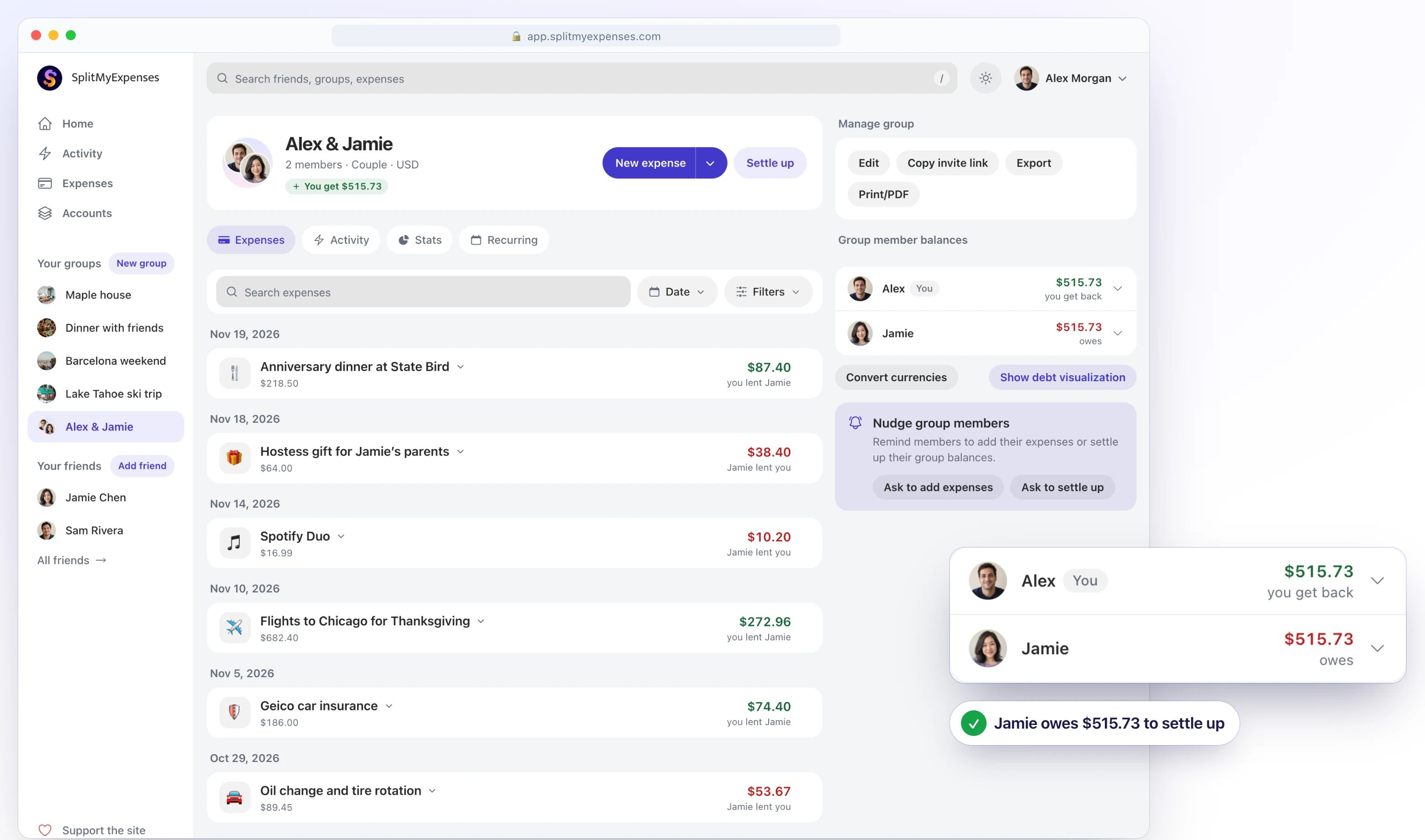
Save your split once
Agree on 50/50, 60/40, or any ratio, and save it as the group’s default split. Every new expense starts with it, and you can still change one bill when it is different.
How default splits work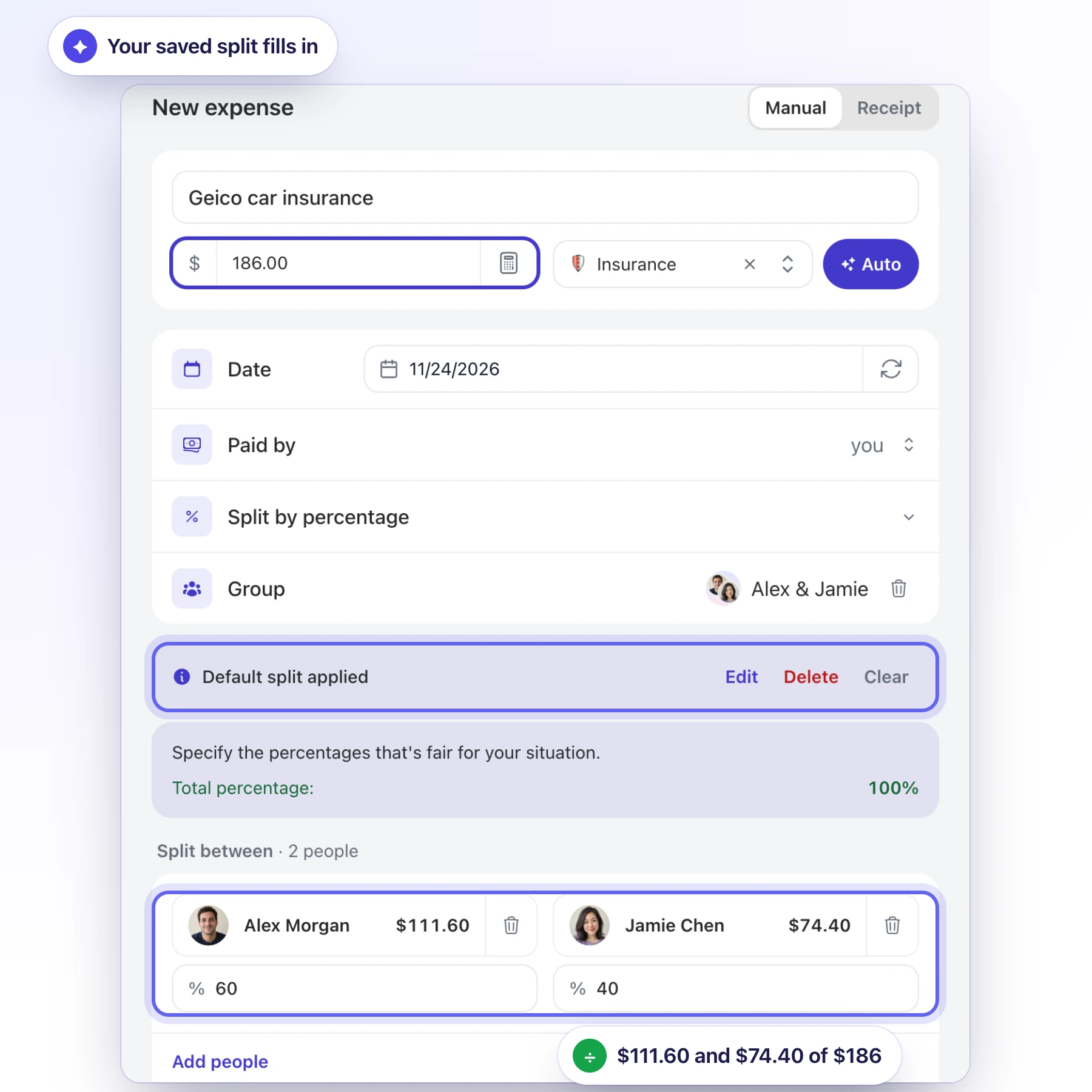
Add the monthly bills once
The car payment, insurance, and subscriptions repeat on their own, weekly, monthly, or yearly, with the same split each time. See every recurring bill in one list, check the next dates, and edit one whenever the price changes. The free plan includes 10 recurring expenses.
Set up recurring expenses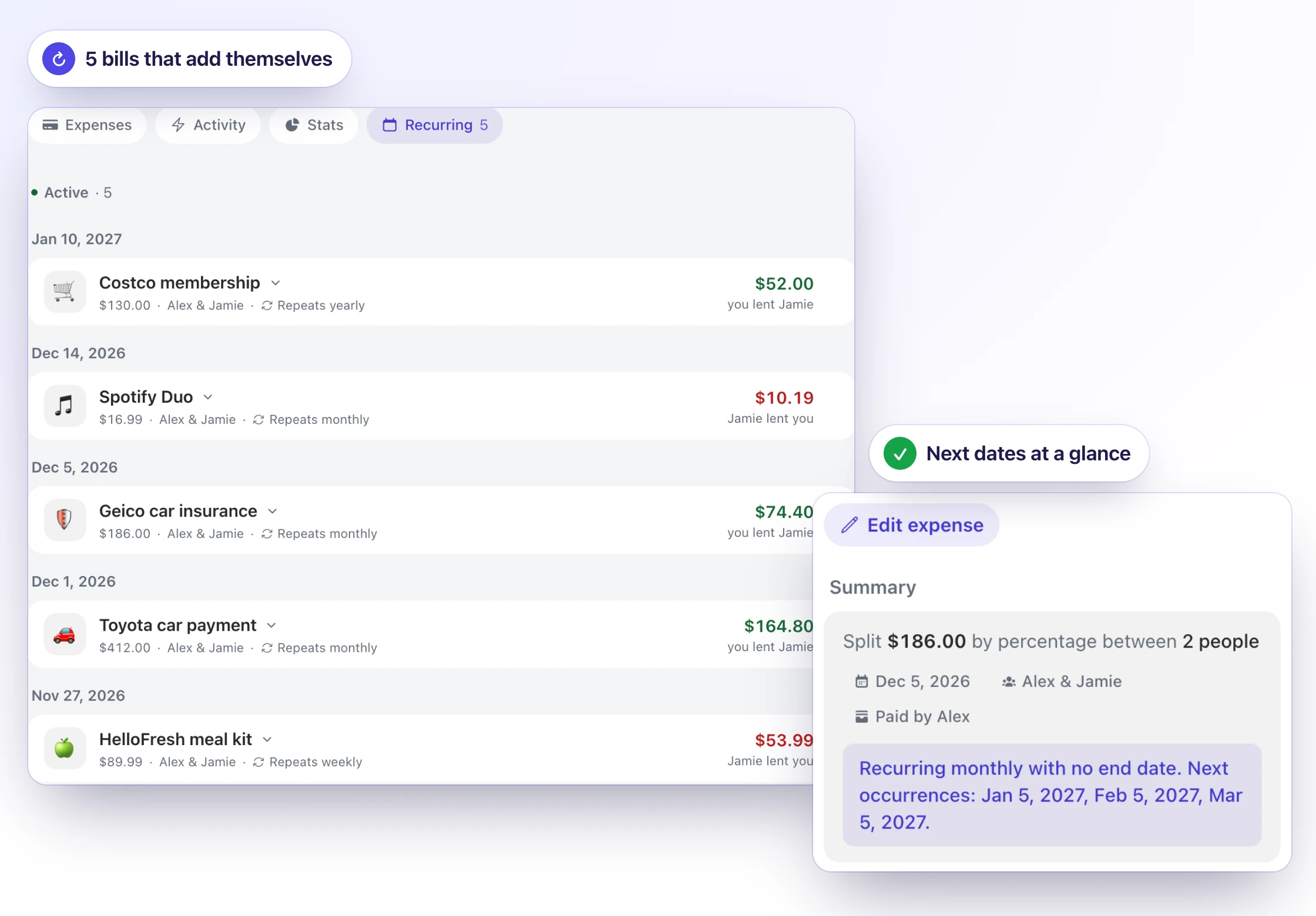
See where the money goes
Stats break your shared spending into categories, so a conversation about the budget starts from the same numbers.
Explore spending stats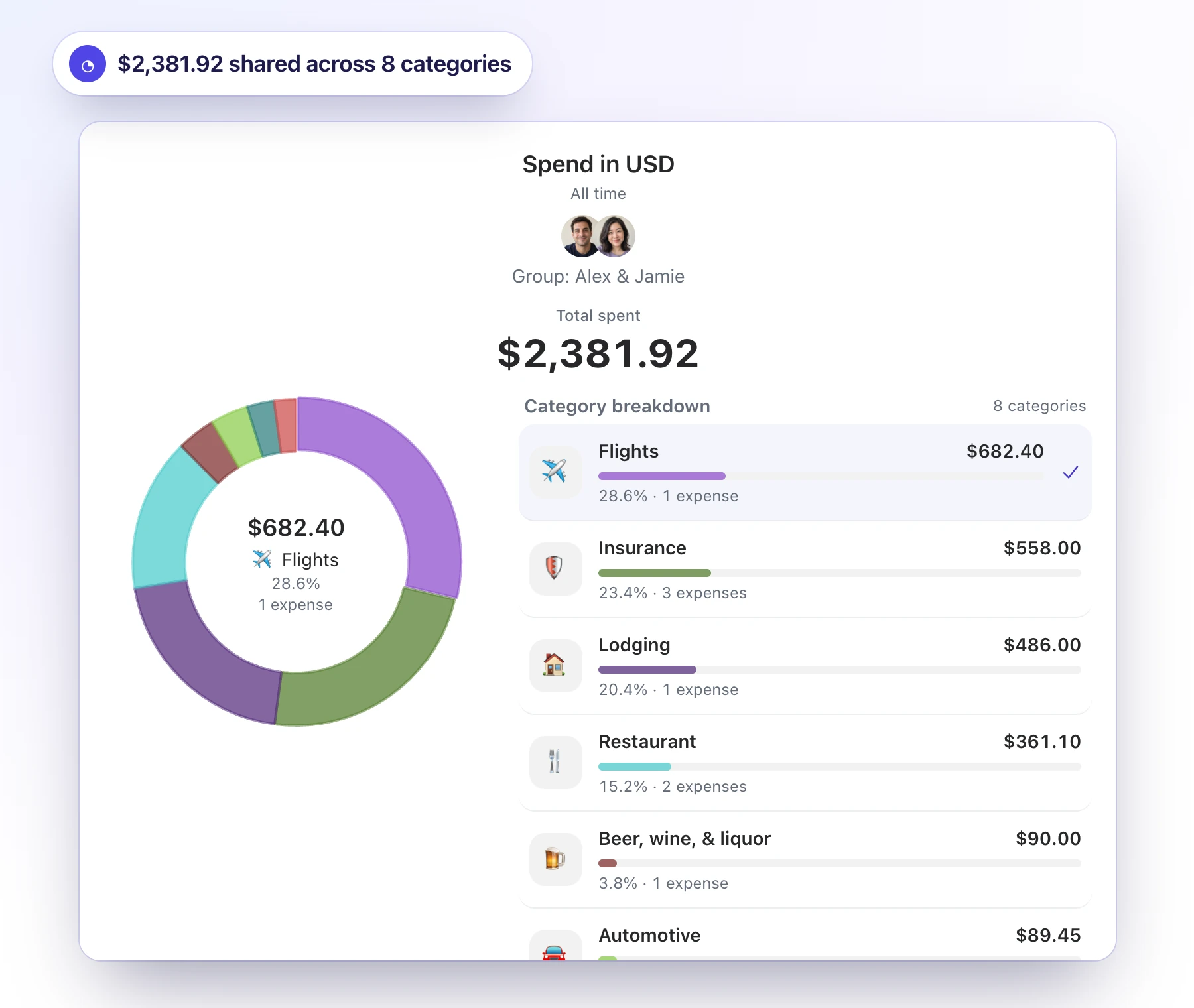
How it works
- 1
Create a couple group and invite your partner with a link.
- 2
Pick a split, 50/50 or a ratio like 60/40, and add your recurring bills.
- 3
Add shared costs as they happen, then settle up whenever you like.
Frequently asked questions
- How should couples split expenses?
- Many couples split shared costs 50/50. Others split by an agreed ratio, such as one based on income. Whichever you choose, record every shared bill in one place so you both see the same balance.
- Can we split bills by income instead of 50/50?
- Yes. Choose percentages, such as 60/40, for any expense. Our rent split calculator can work out a ratio from your incomes.
- Do we have to enter the split every time?
- No. With Premium, save the ratio as the group’s default split and new expenses start with it. You can still change the split for one expense.
- Is SplitMyExpenses free for couples?
- Yes. Groups, expenses, balances, percentage splits, and settling up are free, including 10 recurring expenses. Premium adds default splits, bank imports, receipt scanning, and more automation.
Related guides
Start splitting for free
Create a group, share the link, and add your first expense. Free on web, iPhone, and Android.