Tricount vs SplitMyExpenses: which bill splitting app fits?
Short answer
Use Tricount if your group wants a free, ad-free phone app for a trip or event, and you bank with bunq or settle up by sending requests in the app.
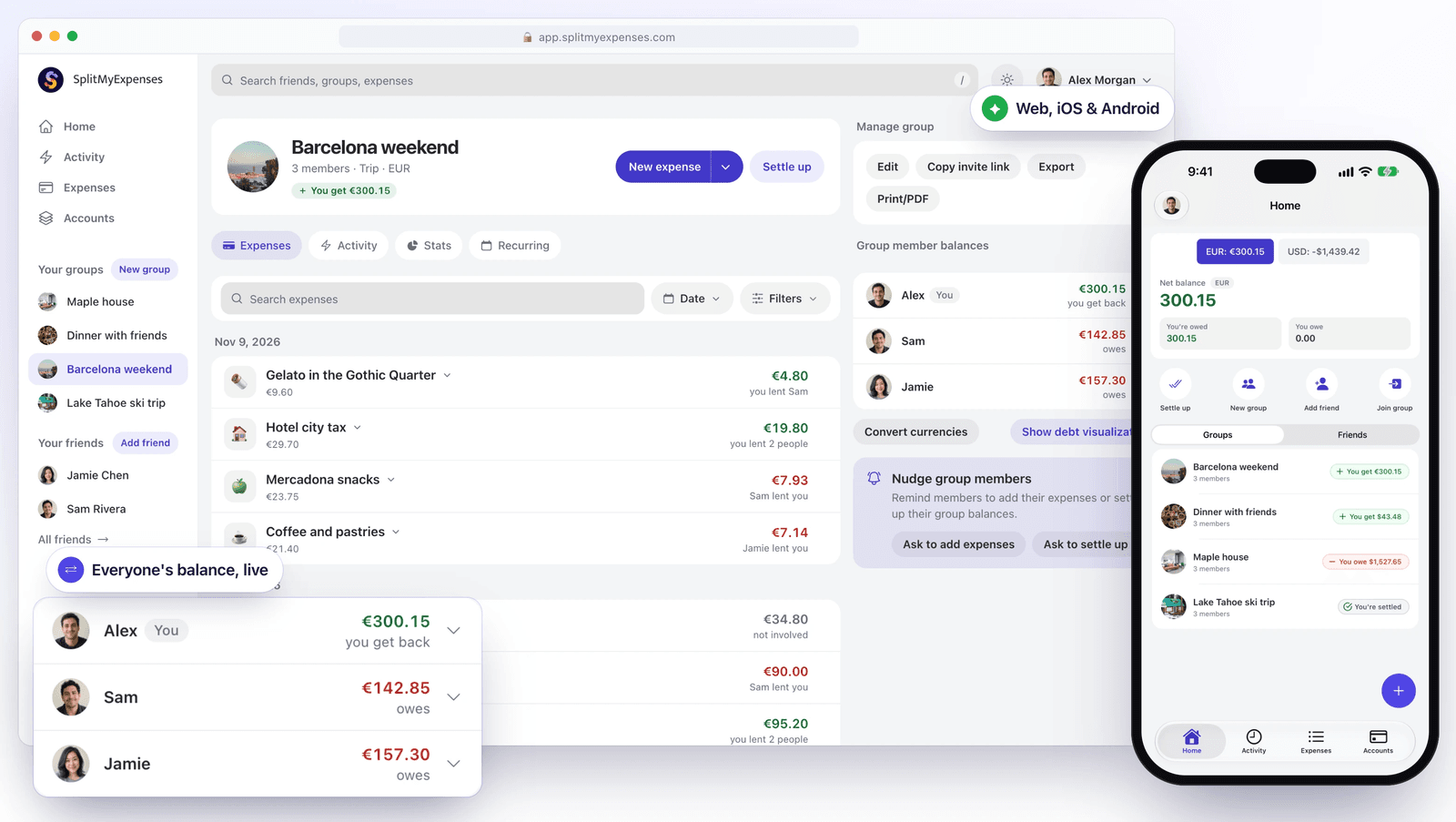
Use SplitMyExpenses if you also want a web app, receipts split item by item, recurring rent and bills, spreadsheet or bank imports, and payment handoffs to Venmo, Cash App, Zelle, PayPal, UPI, or cash. Core bill splitting, groups, balances, and settling up are free in both apps.
How this comparison was written
This is a SplitMyExpenses-owned comparison. Tricount details come from Tricount’s own website, reviewed on November 24, 2026: its homepage, Splitwise comparison, and feature pages for custom splits, multi-currency support, and payment requests. Where Tricount’s site doesn’t say something, this page says “not stated” rather than guessing. Apps change, so check the current listing before you decide.
Tricount vs SplitMyExpenses comparison table
| Category | SplitMyExpenses | Tricount |
|---|---|---|
| Price | Core splitting is free. Premium adds automation such as receipt scanning, bank imports, and group currency conversion. | Free, with no ads and no daily expense cap, according to Tricount. No paid tier is mentioned. |
| Platforms | Web, iPhone, and Android. | iPhone and Android. A web app is not mentioned. |
| Split options | Equal, exact amounts, percentages, shares, adjustments, and item by item. | Equal splits and custom shares per person. |
| Itemized receipts | Assign each receipt item to the people who had it, including discounts, tax, and tip. | Not stated. |
| Receipt scanning | Reads items, tax, and tip from a photo (Premium). | Not stated. |
| Currencies | 150+ currencies, with whole-group conversion (Premium). | Expenses in the currency you paid, converted to one trip currency. |
| Recurring bills | Recurring expenses for rent and utilities (10 on the free plan). | Tricount’s own table says each bill is added manually. |
| Imports | Splitwise import, CSV and Excel files, and linked cards and bank accounts. | Splitwise group import, and automatic expenses from a bunq card. |
| Settling up | Simplified debts, with handoffs to Venmo, Cash App, Zelle, PayPal, UPI, or cash. | Suggested repayments and payment requests, marked as paid by hand. |
| Offline use | The mobile app includes an offline currency converter. | Available offline, according to Tricount. |
Where Tricount is a good fit
Tricount is built around trips and events. It’s free, it has no ads, and Tricount says you can try it without signing up, which makes it easy to start a group at the airport. If your friends bank with bunq, connecting a bunq card can add shared expenses as you spend.
For a single weekend where everyone splits most costs evenly and settles up by request, Tricount covers the basics well.
Where SplitMyExpenses is stronger
Ongoing households. Rent and utilities repeat every month. In SplitMyExpenses you add them as recurring expenses with the split your house agreed on, instead of re-entering each bill. Our roommate guide and rent split calculator cover uneven rooms and incomes.
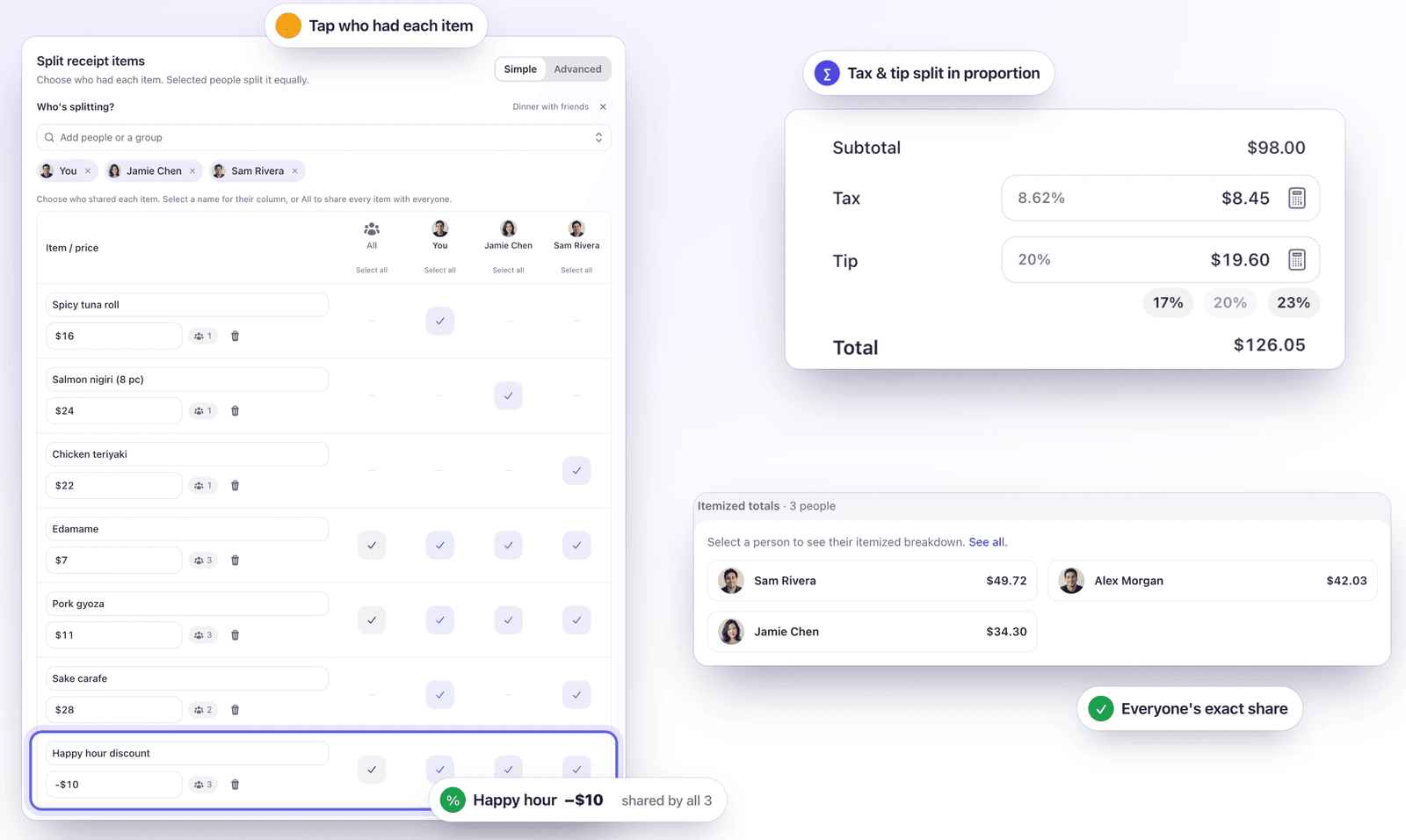
Restaurant bills by item. When people order different things, an even split isn’t fair. SplitMyExpenses lets you assign each dish to who had it, share appetizers, add discounts as their own line, and split tax and tip in proportion. See how to split a restaurant bill by item.
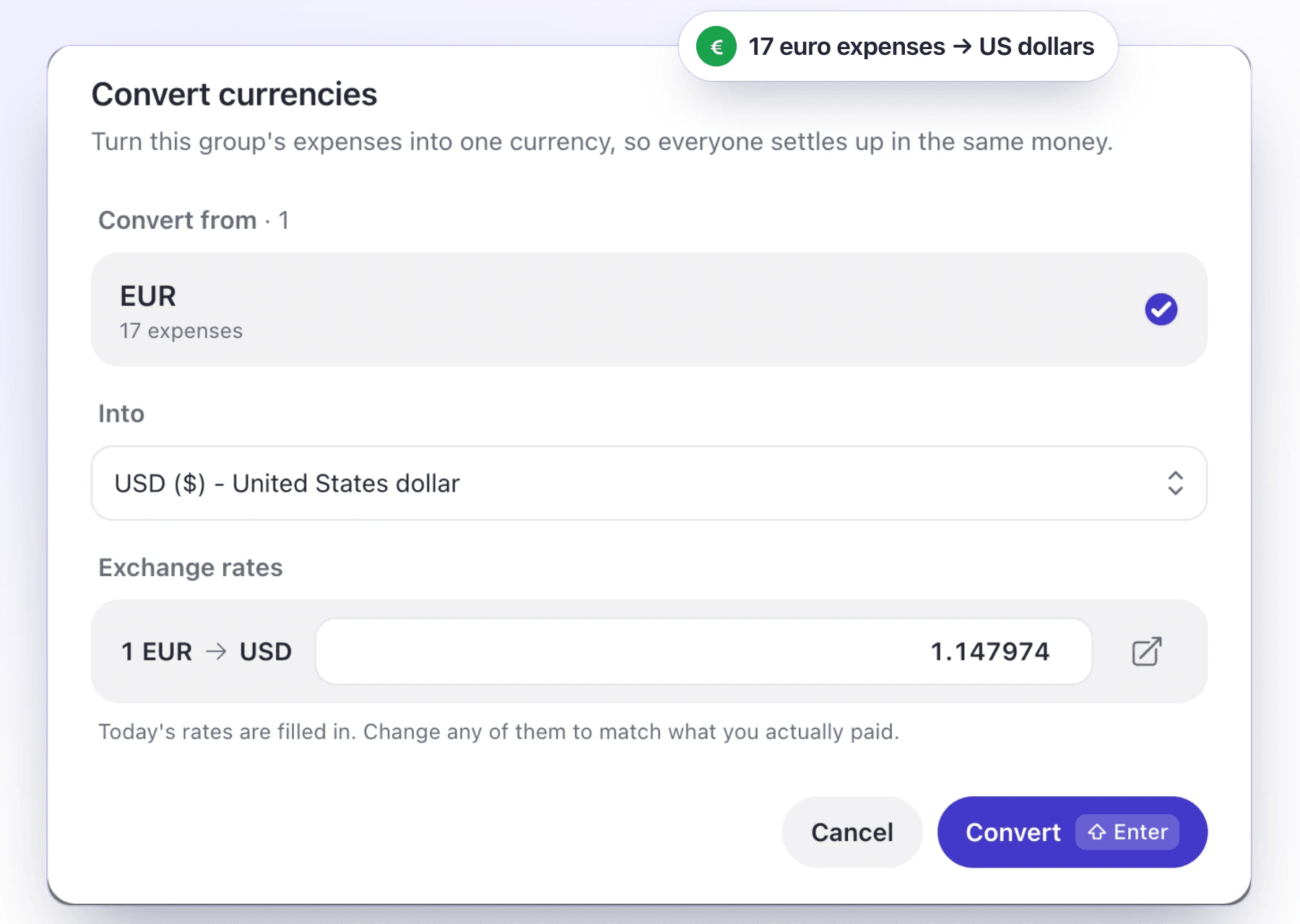
Trips with several currencies. Both apps handle foreign currencies. SplitMyExpenses can convert every expense in a group to the currency you settle in, with the rates shown and editable before you confirm.
The web and imports. SplitMyExpenses works in a browser as well as on iPhone and Android, which helps when you’re reviewing a long trip or a month of bills. You can import a spreadsheet into a group or link a card for automatic imports, whatever bank you use.
Paying each other back. SplitMyExpenses simplifies the group’s debts to the fewest payments, then opens the right screen in Venmo, Cash App, Zelle, PayPal, or UPI, or records a cash payment. See how to split and charge friends on Venmo.
Which should you choose?
- A one-off trip, mostly even splits, friends on bunq: Tricount is a simple choice.
- Roommates or a couple with monthly bills: SplitMyExpenses, for recurring expenses and default splits.
- Dinners where everyone orders differently: SplitMyExpenses, for item-by-item receipts.
- You want to use a computer as well as your phone: SplitMyExpenses, which runs on the web too.
- Your friends pay each other with Venmo, Zelle, or PayPal: SplitMyExpenses, for payment app handoffs.
FAQ
Is Tricount free?
Tricount says recording and splitting expenses is free, with no ads and no daily expense cap. No paid tier is mentioned on its website.
Is SplitMyExpenses free?
Yes. Groups, expenses, balances, and settling up are free on web, iPhone, and Android. Premium adds time savers like receipt scanning, bank imports, default splits, and group currency conversion. See pricing.
Can I move from Tricount to SplitMyExpenses?
There is no direct Tricount import. If you can export your expenses to a spreadsheet, you can import the file into a group. Coming from Splitwise instead? Use the Splitwise import.
Does either app move money?
Neither app is a payment network for your group’s debts. Tricount sends payment requests that you mark as paid. SplitMyExpenses hands off to the payment app you choose and records the payment.
Bottom line
Tricount is a good free app for trips and events, especially for bunq customers. If your group also shares a home, splits dinners by item, uses a computer, or settles up with Venmo, Zelle, or PayPal, try SplitMyExpenses for free.
Still comparing? See Splitwise vs SplitMyExpenses and our roundup of the best bill splitting apps.

Creator of SplitMyExpenses.com