For dinners out
Split the restaurant bill by what everyone ordered
Scan the receipt, tap who had each dish, and share the appetizers. Tax, tip, and discounts are split for you, so nobody overpays for someone else’s steak.
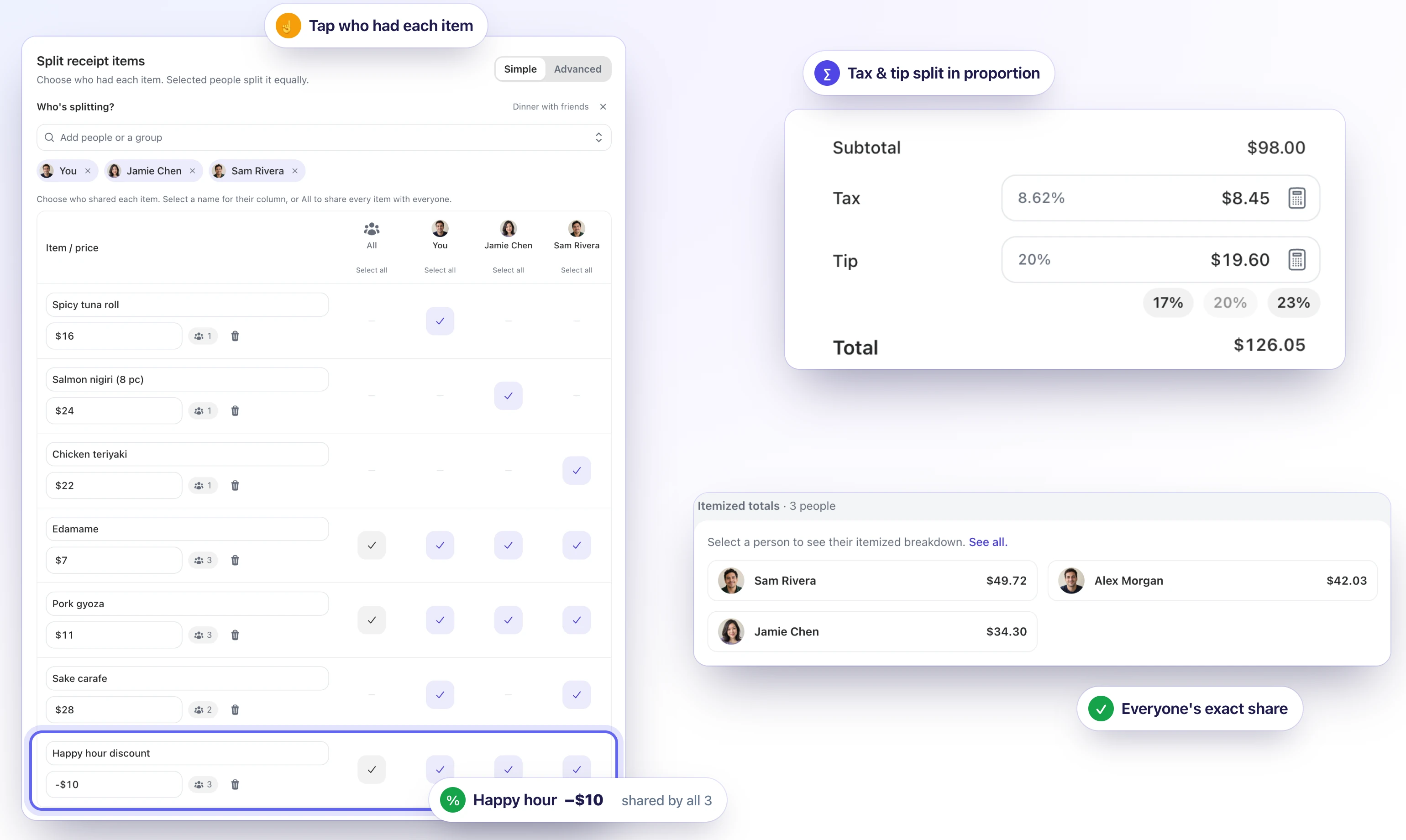
Tap who had each dish
Every item gets a row and every person a column. Tap once for a main, select everyone for shared plates, and see the totals update as you go.
Meet the simple receipt editor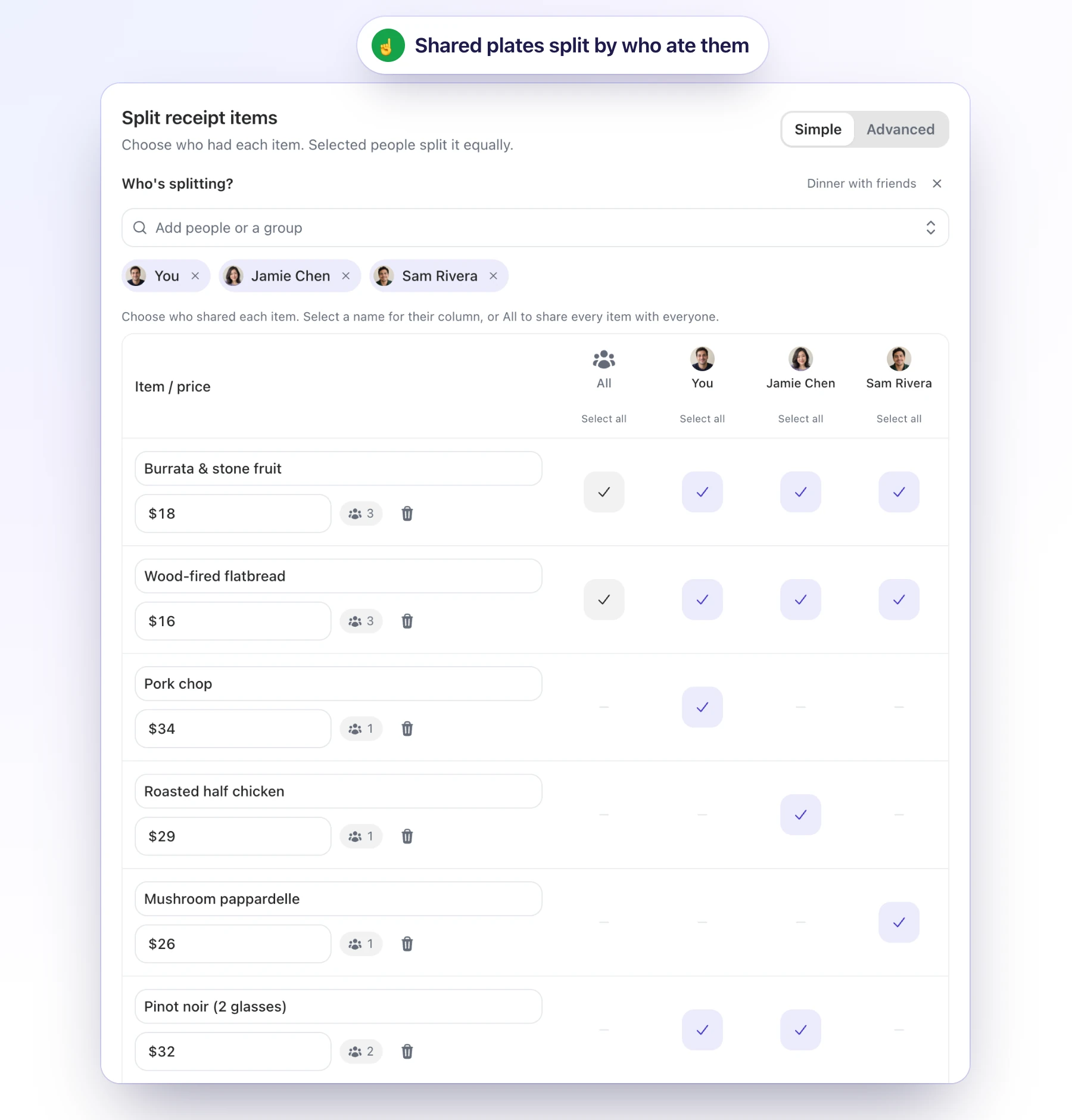
Keep every dinner in one group
Dinners with the same friends add up in one group. Search any meal later, and settle up once instead of after every night out.
Find expenses by who paid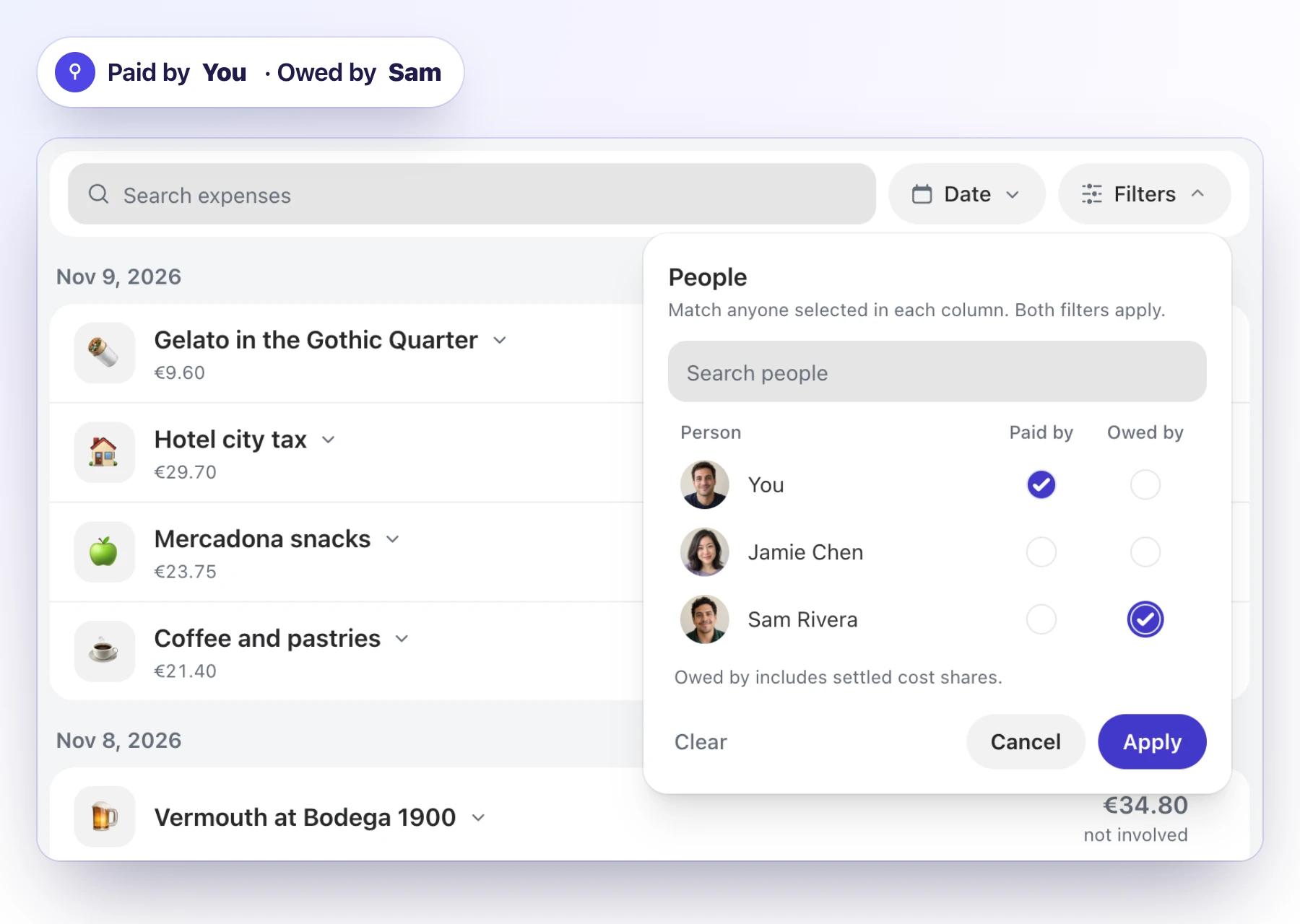
How it works
- 1
Take a photo of the receipt, or enter the items yourself.
- 2
Tap who had each item and add any discounts or coupons.
- 3
Check the tax and tip, save, and settle up with Venmo or PayPal.
Frequently asked questions
- How do you split a restaurant bill by item?
- List each item on the receipt, choose who had it, and split shared plates between the people who ate them. Then split tax and tip in proportion to each person’s food.
- How is tip split when people ordered different amounts?
- Tip is split in proportion to each person’s items, so whoever ordered more pays more of the tip.
- Can I scan a receipt instead of typing it?
- Yes. Receipt scanning reads the items, tax, and tip from a photo. It is part of Premium, and you can always edit the results.
- Is there a quick calculator for one bill?
- Yes. Our free split bill calculator splits a single bill evenly or by item without an account.
Related guides
Start splitting for free
Create a group, share the link, and add your first expense. Free on web, iPhone, and Android.