For group trips
Split trip expenses without the spreadsheet
Hotels, dinners, tickets, and taxis go in one trip group, in whatever currency you paid. When you get home, everyone settles up in one currency.
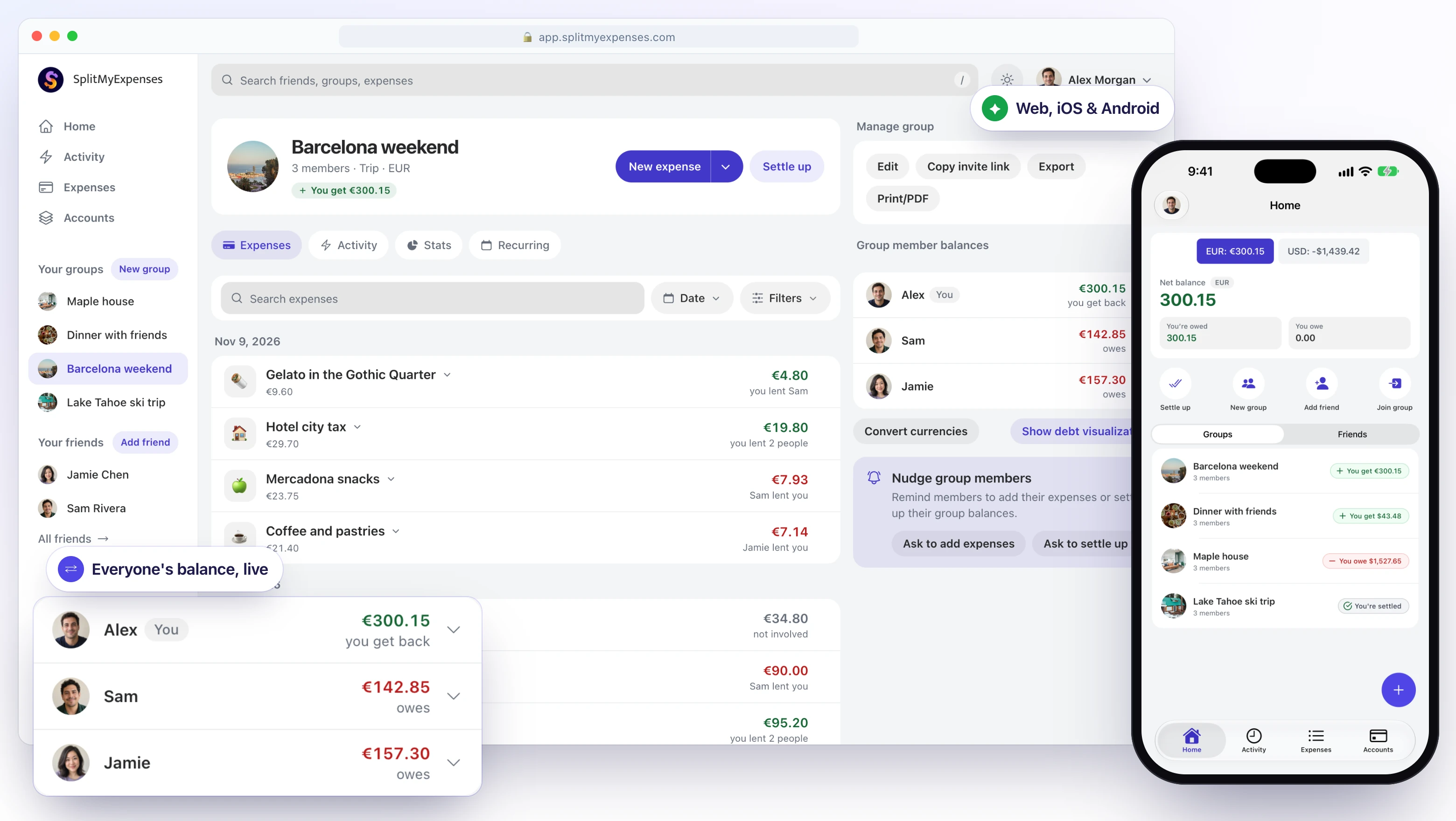
Settle a trip abroad in one currency
Add expenses in euros, pesos, or yen as you go. Then convert the whole trip into the currency you settle in, with today’s rates filled in.
How group currency conversion works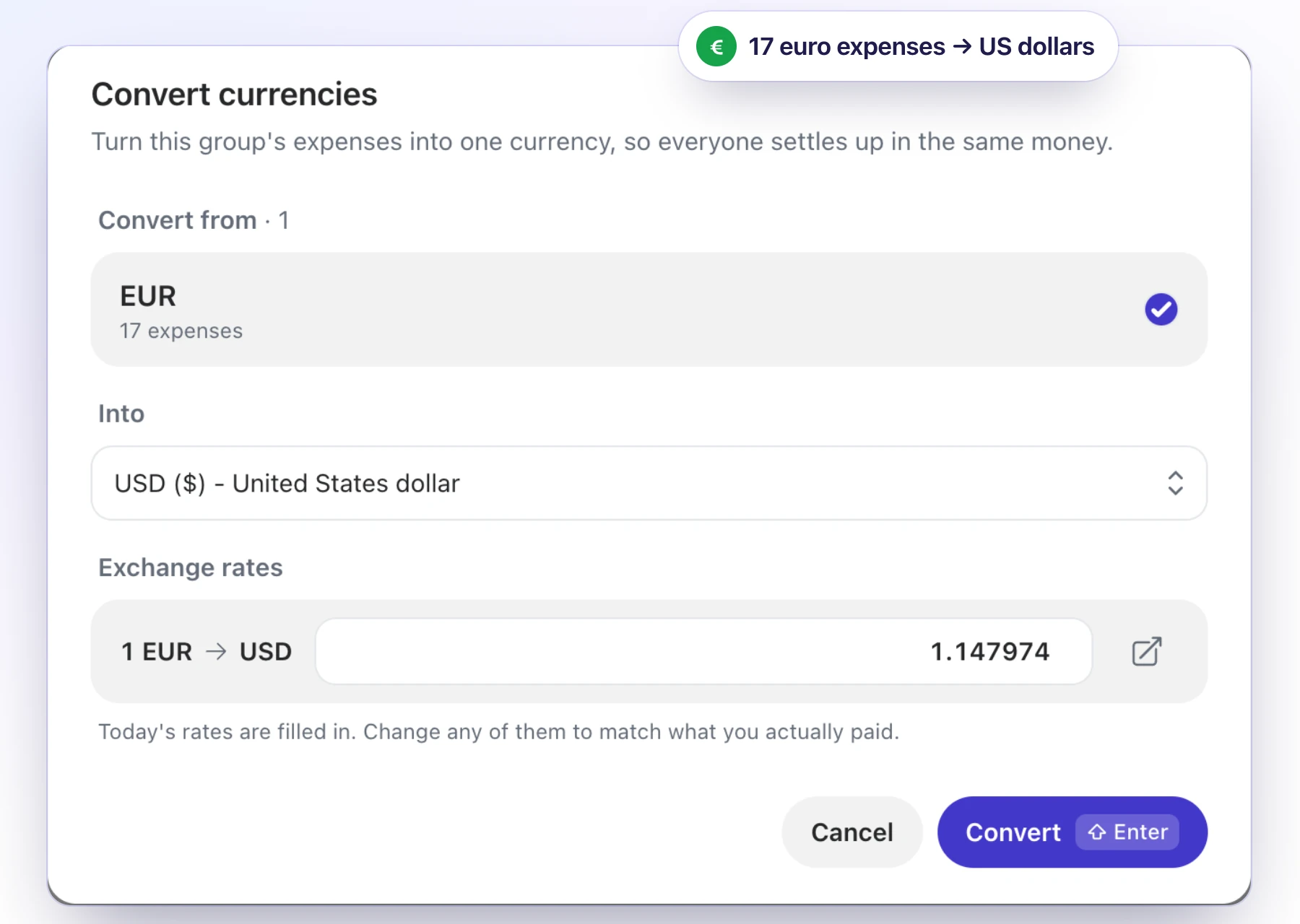
Import a trip spreadsheet
Already tracking costs in a spreadsheet? Upload the CSV or Excel file and every row lands in the trip group, ready to split.
Import a spreadsheet into a group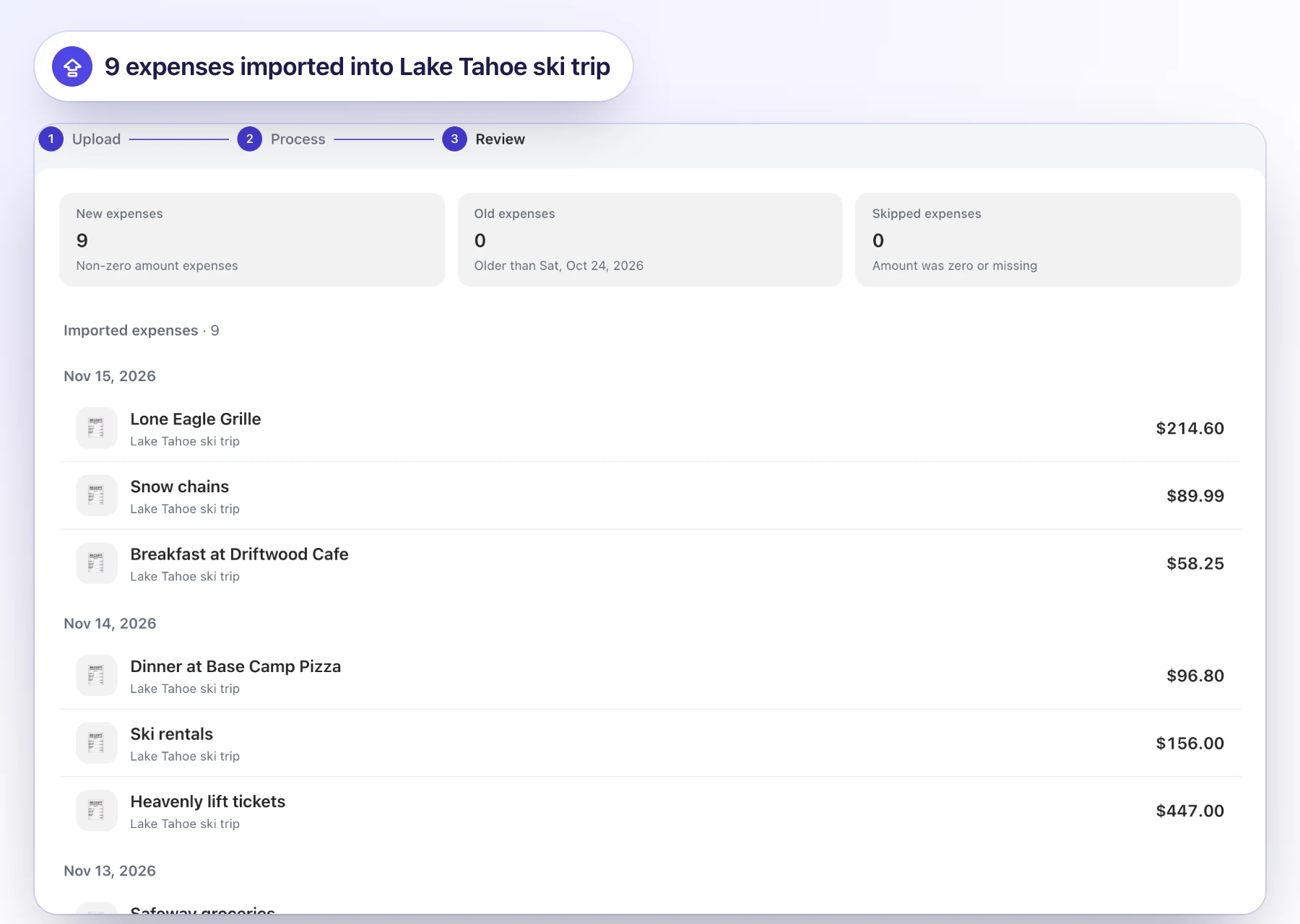
Find any trip expense
Search the trip for “dinner” or filter by who paid and who owes, so it is easy to check what you covered before settling up.
Filter by who paid and who owes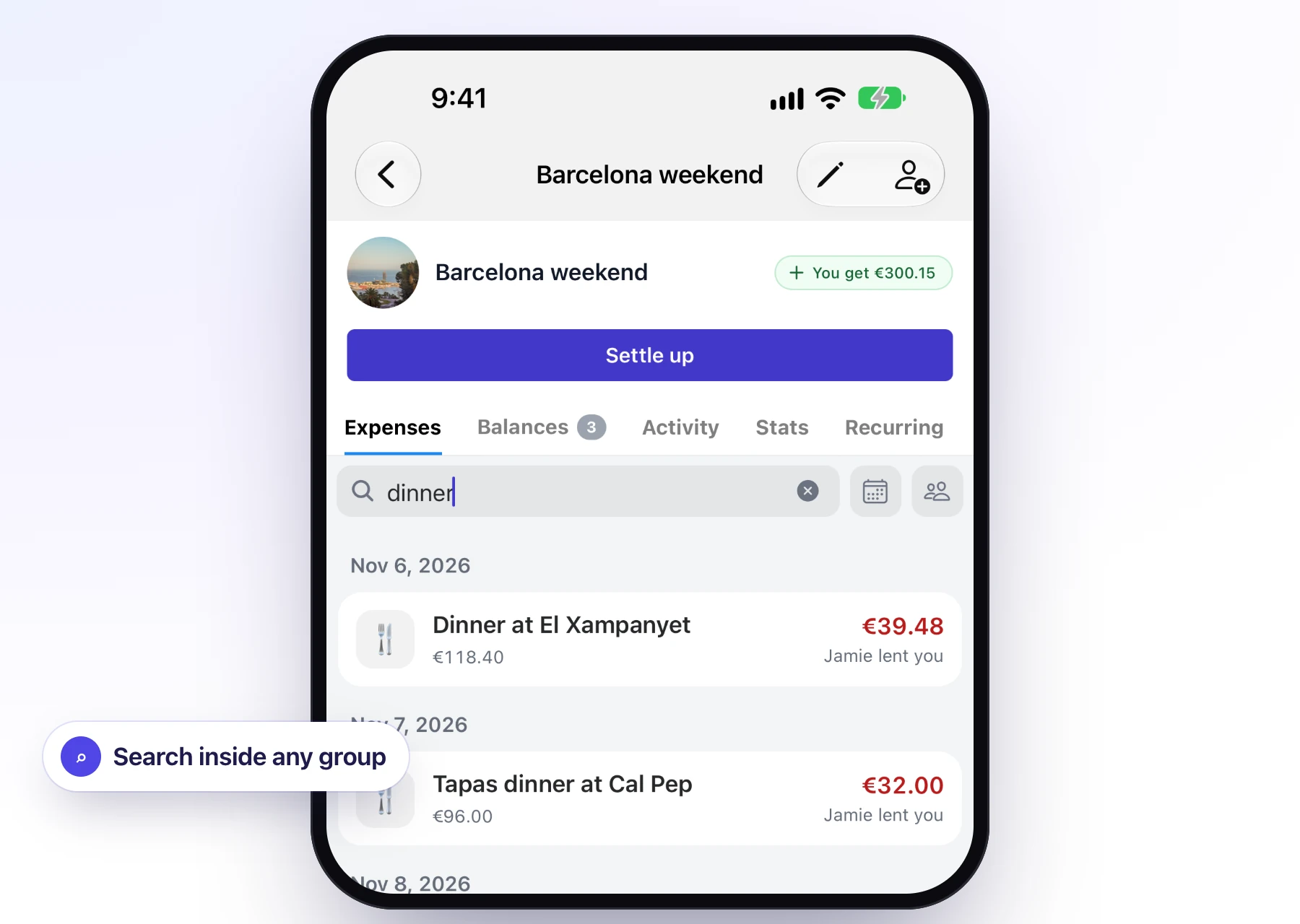
How it works
- 1
Create a trip group and share the invite link with everyone going.
- 2
Add expenses as you pay, in the local currency, splitting with whoever joined in.
- 3
Convert the trip to one currency and settle up with the fewest payments.
Frequently asked questions
- What is the best way to split expenses on a group trip?
- Use one shared group for the trip, record each expense with the people who took part, and settle up once at the end instead of after every meal.
- Can I split trip expenses in different currencies?
- Yes. Add expenses in any of 150+ currencies. Premium can convert the whole group to one currency before you settle up.
- What if not everyone joined every activity?
- Choose who shares each expense. A dinner can include only the people who were there, while the hotel is split with everyone.
- Does it work without internet abroad?
- The mobile app includes an offline currency converter for checking prices. Expenses sync when you are back online.
Related guides
Start splitting for free
Create a group, share the link, and add your first expense. Free on web, iPhone, and Android.