Export your whole expense history to one CSV
All of it, in one file
You could already export a single group or friend. Now you can download your entire expense history in one CSV: every expense and payment you created or were part of, across all your friends and groups.
It's useful for taxes, a budget spreadsheet, an end-of-year review with your partner, or simply keeping your own copy.
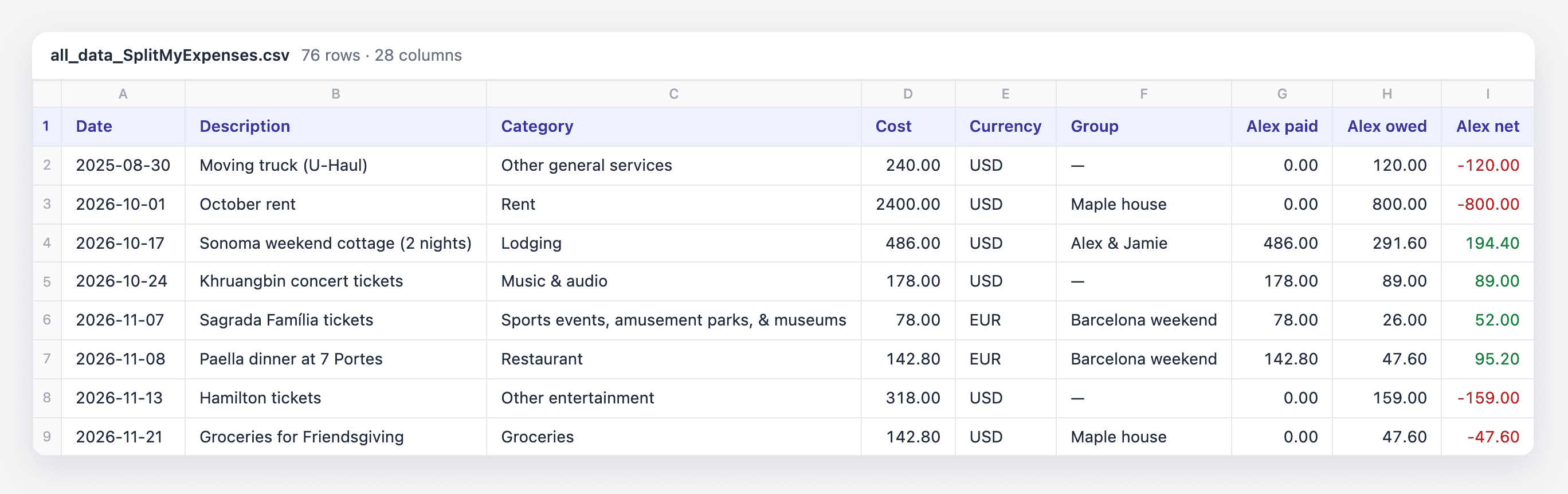
What's in the export
The file includes:
- Expenses and payments you added or shared, including ones outside a group.
- Archived groups, and groups you've since left.
- Each row's date, description, category, cost, currency, type (expense or payment), note, and group.
- Three columns per person: what they paid, what they owed, and their net balance for that row.
Amounts stay in their original currency, so a trip in euros exports in euros.
How to export
On the web: open Settings, scroll to Account, and choose Download CSV under Export all data.
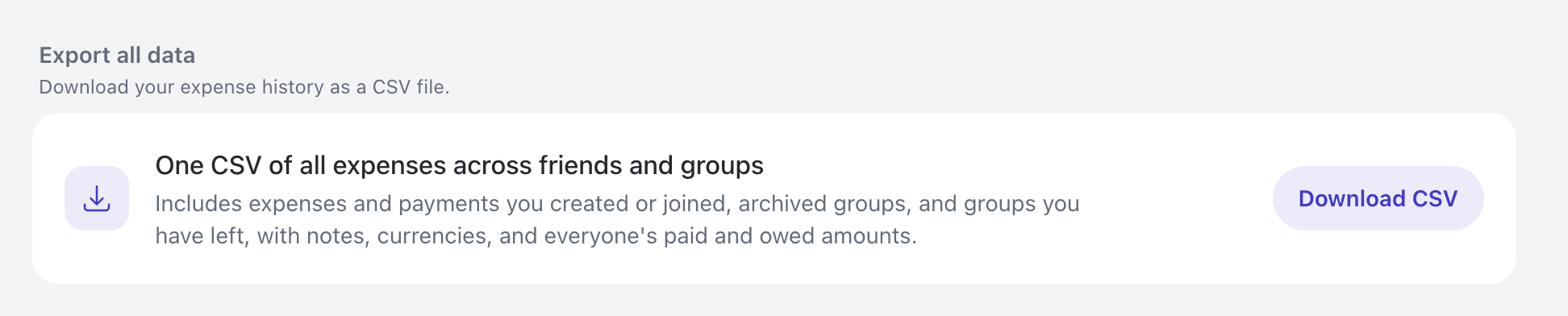
On iPhone and Android: open Settings and tap Export all data, then save or share the file.
The CSV opens in Excel, Google Sheets, or Numbers.
FAQ
Is exporting free?
Yes. Exporting all your data is free on every plan.
Can I export just one group?
Yes. Each group and friend page still has its own Export button for a single CSV.
Can I import the file into another app?
It's a standard CSV with one row per expense, so spreadsheet tools read it directly. Other apps' importers expect their own formats, so you may need to rename columns.
Moving from Splitwise instead? See how to import from Splitwise, or import a spreadsheet into a group.
If you have any questions, or you need some help, please reach out to us: support@splitmyexpenses.com.

Creator of SplitMyExpenses.com