SplitMyExpenses widgets: add an expense or scan a receipt from your Home Screen
Split a bill without hunting for the app
The moment to add an expense is right after you pay: at the register, at the table, or in the taxi. SplitMyExpenses now has Home Screen widgets on iPhone and Android, so that moment takes one tap.
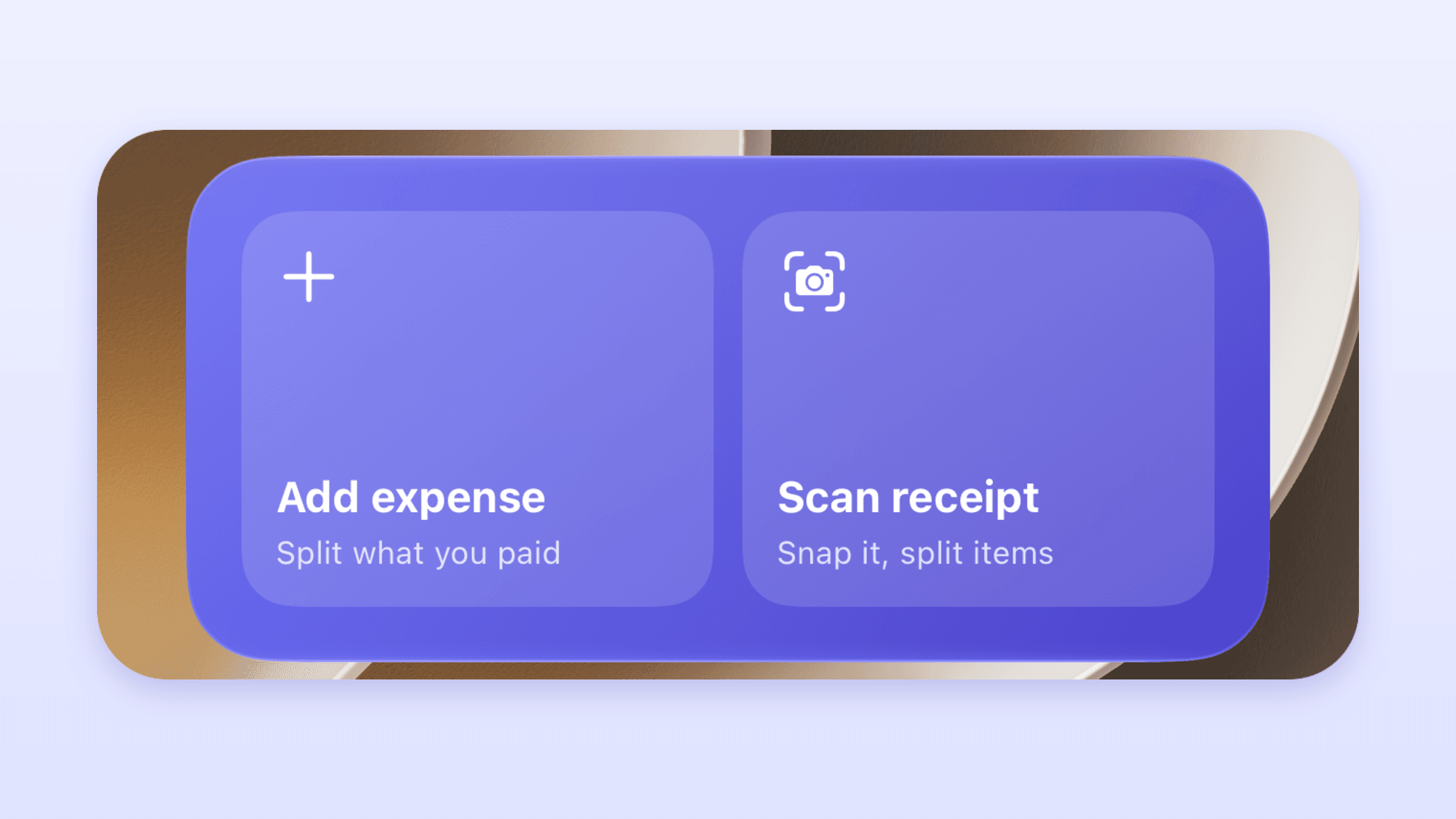
The widgets
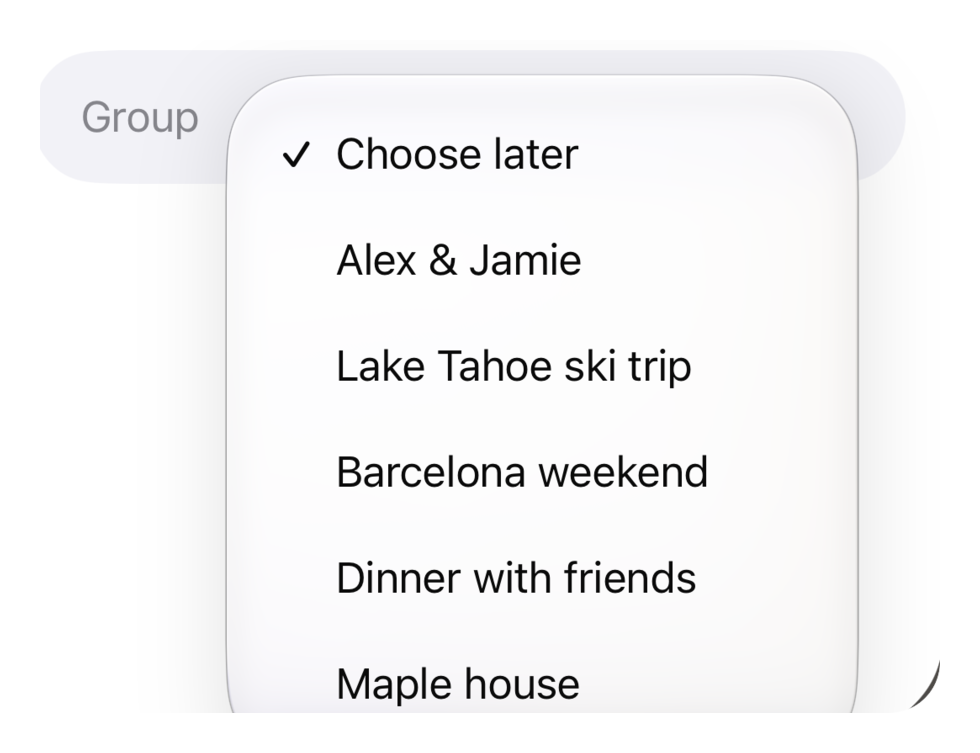
- Add expense opens a new expense, ready for the description and amount. You can give it a default group, so a roommate household's widget always starts in the house group.
- Scan receipt opens the camera to scan a receipt and split it by item. Receipt scanning is part of Premium. If you itemize by hand, use Add expense.
- Recent expenses shows the latest expenses in a group or with a friend you pick, with buttons to add an expense or scan a receipt there.
- Balances shows who owes what in a group or with a friend, in each currency.
The shortcut widgets come in small and medium sizes. The medium one puts Add expense and Scan receipt side by side.
Add a widget
The app walks you through it in Settings → Home screen widgets:
- Touch and hold an empty spot on your Home Screen until the apps jiggle.
- Tap Edit, then Add Widget. Search for SplitMyExpenses and pick a size.
- To show a group or friend, touch and hold the widget, then choose Edit Widget.
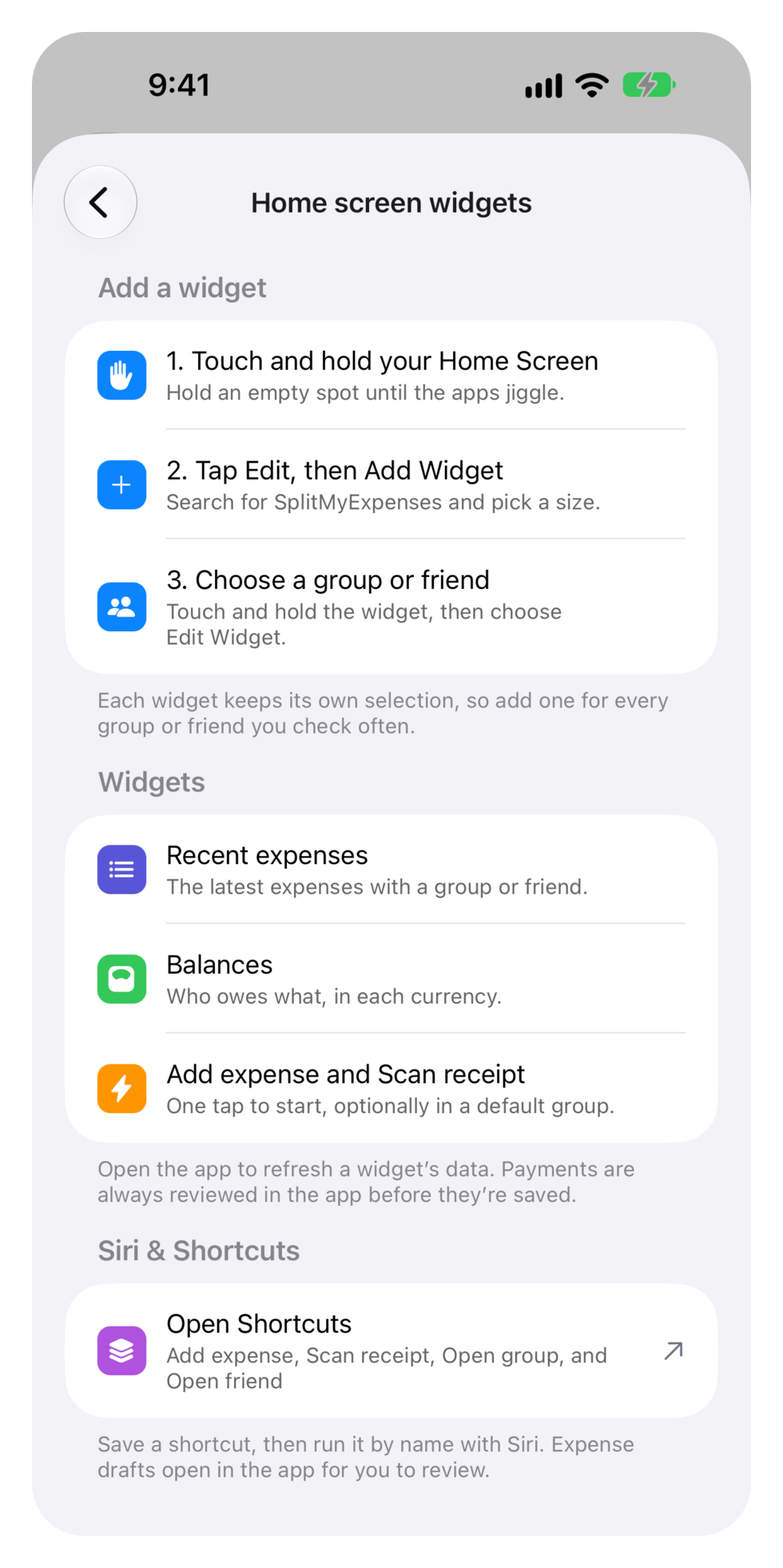
Each widget keeps its own selection, so you can add one for your house and another for this weekend's trip.
Good to know
Widgets show a saved snapshot of your balances and recent expenses. Open the app to refresh it. Nothing is saved from a widget on its own: tapping one opens the app, and you review the expense before you save it.
Siri and Shortcuts on iPhone
The same actions are in the Shortcuts app: Add expense, Scan receipt, Open group, and Open friend. Save a shortcut, then say its name to Siri. The expense draft opens in the app for you to check. You can find these under Settings → Home screen widgets → Open Shortcuts.
FAQ
Does SplitMyExpenses have widgets?
Yes. SplitMyExpenses has Home Screen widgets on iPhone and Android for adding an expense, scanning a receipt, recent expenses, and balances.
Are the widgets free?
Yes. The widgets are free. Receipt scanning itself is a Premium feature, so the Scan receipt widget is most useful with Premium.
Why does my widget say "Open the app to sync"?
The widget hasn't saved a snapshot for that group or friend yet. Open SplitMyExpenses once, and the widget fills in.
Get the app from the App Store or Google Play. For more mobile shortcuts, see touch and hold a group to add an expense and the SplitMyExpenses mobile apps.
If you have any questions, or you need some help, please reach out to us: support@splitmyexpenses.com.

Creator of SplitMyExpenses.com