Import older card and bank transactions into SplitMyExpenses
Bring in the trip you paid for last spring
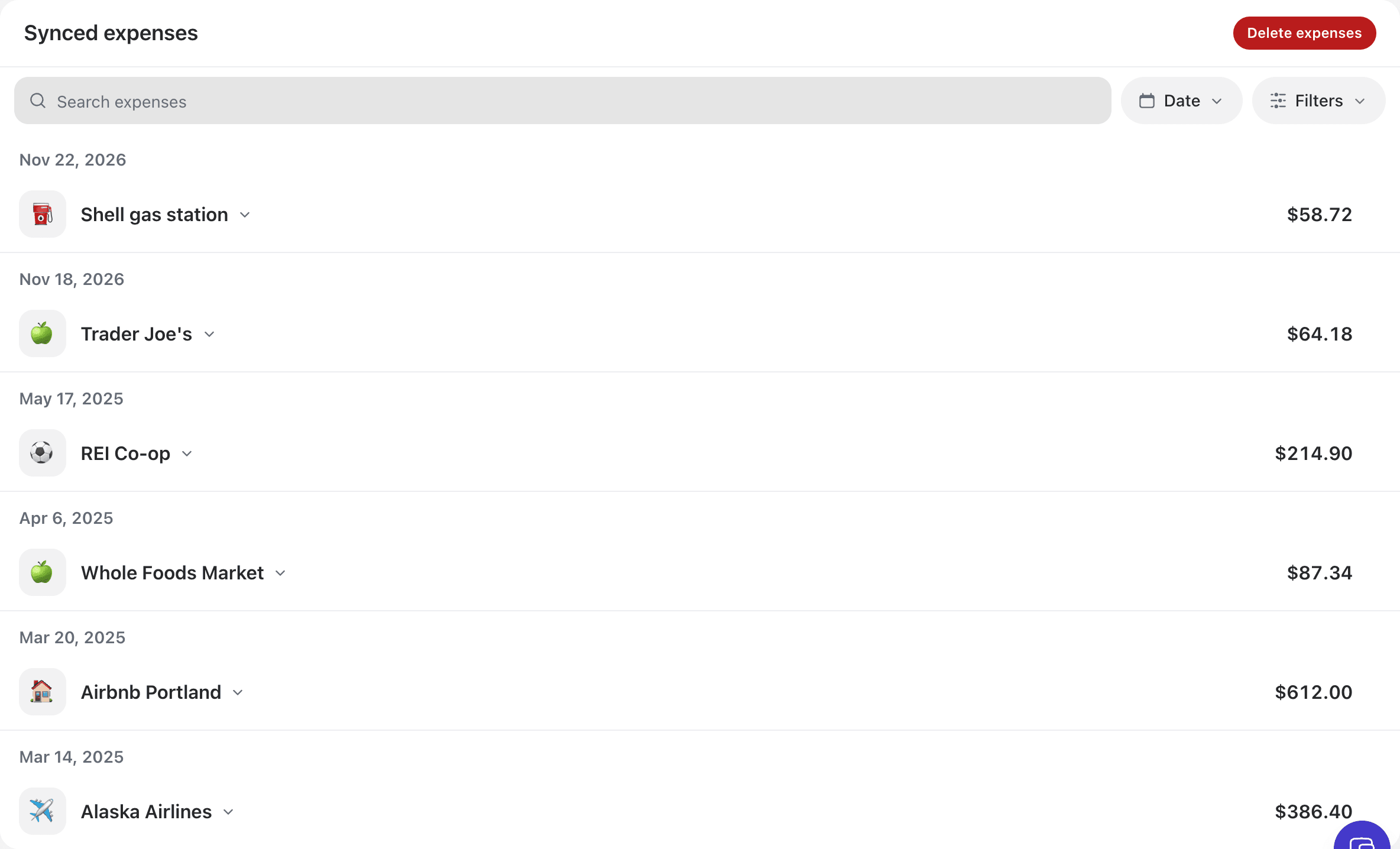
You link a credit card to split this month's bills, then remember the group trip from last year that never got settled. Before, linked accounts only looked back a short way. Now a newly linked card or bank account can reach back up to two years, depending on what your bank provides.
How it works
When you link an account, SplitMyExpenses imports the last 30 days of transactions as expenses. That keeps your list focused on what you're likely to split now.
When you need something older, fetch it yourself:
- Open Accounts and choose the card or bank account.
- Under Sync expenses on demand, set the start date, for example March 1, 2025.
- Choose Fetch. Older transactions arrive as expenses you can split, assign to a group, or leave as personal.
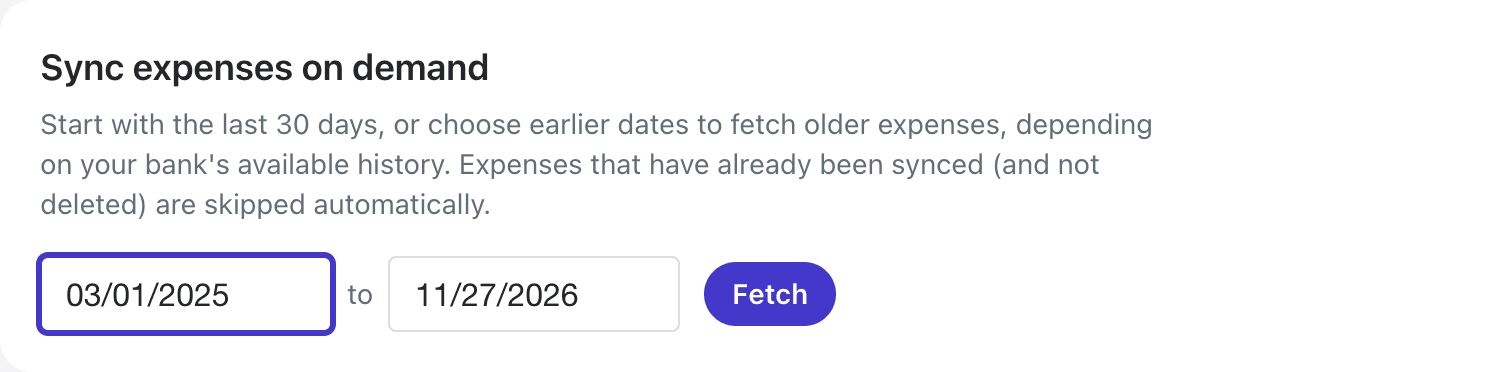
Expenses that were already synced, and not deleted, are skipped, so you can fetch an overlapping range without creating duplicates.
Good to know
- History depends on your bank. Two years is the most SplitMyExpenses asks for. Some banks share less.
- New connections get the longer window. An account linked before this change may only reach as far back as it did then. If older dates come back empty, link the account again.
- Daily sync keeps going. New transactions keep arriving every day unless you turn off Sync daily for that account.
- Linking cards and bank accounts is part of Premium. Bank linking is available for accounts in the US and Canada.
FAQ
How far back can SplitMyExpenses import transactions?
Up to two years for accounts linked from October 2026 onward, depending on how much history your bank provides.
Will fetching older dates create duplicate expenses?
No. Transactions that were already imported, and that you haven't deleted, are skipped.
Why do I only see the last 30 days?
Imports start with the last 30 days on purpose. Choose an earlier start date under Sync expenses on demand to bring in older transactions.
New to linked accounts? Start with how to link credit cards and bank accounts, and see transaction refresh history to check when an account last synced.
If you have any questions, or you need some help, please reach out to us: support@splitmyexpenses.com.

Creator of SplitMyExpenses.com